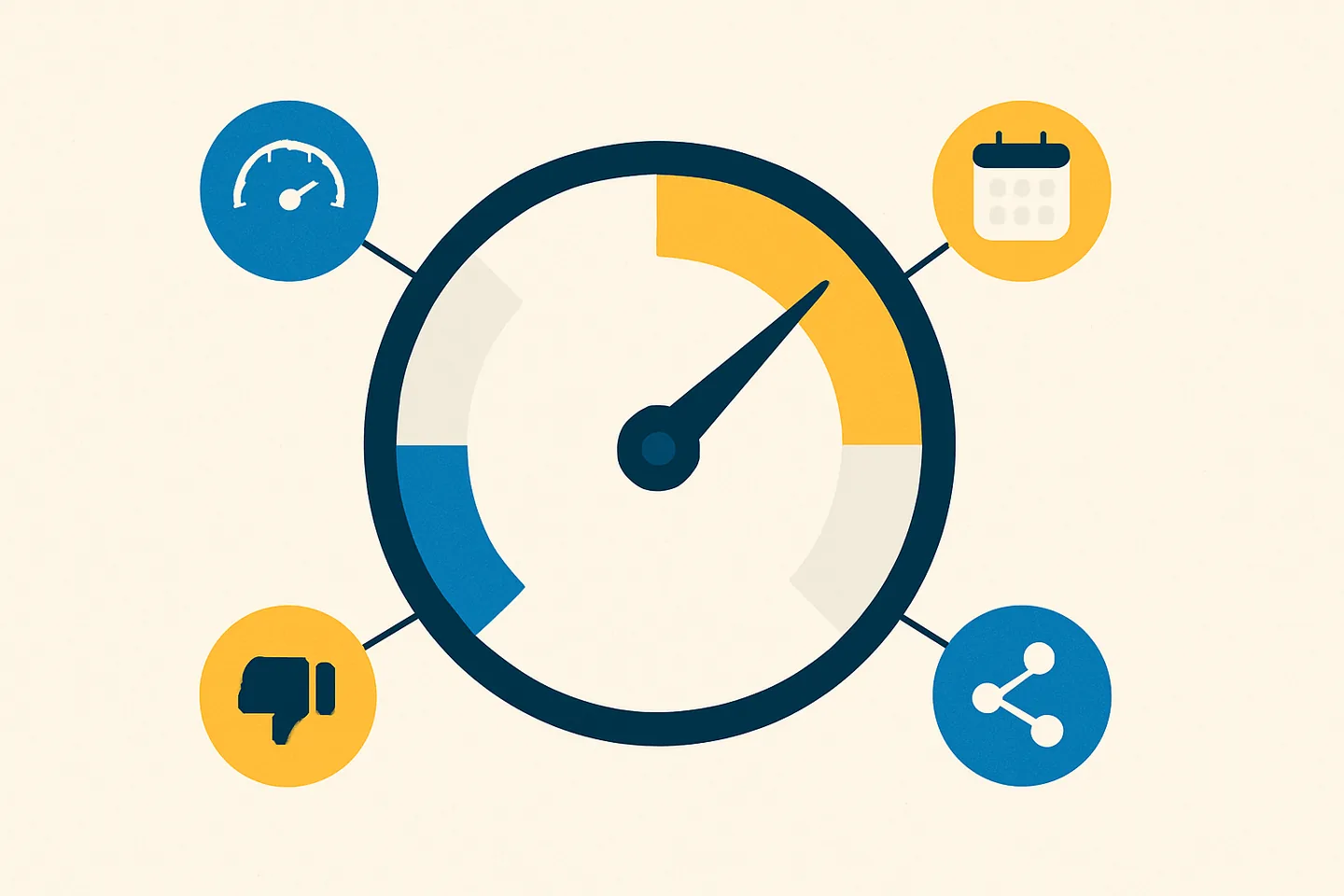
WhatsApp scores 14 signals across three stages before it bans a number: how the number was registered, how it sends, and how recipients respond with reports and blocks. For business numbers the signals that matter most are burst sending, messaging people who never saved you, and reports on first messages.
Nobody gets a reason. The permanent screen says the number can’t use WhatsApp, the temporary one shows a countdown. So "why did WhatsApp ban my number" gets answered by forums, and the forums guess.
There is a better source. WhatsApp’s white paper "Stopping Abuse: How WhatsApp Fights Bulk Messaging and Automated Behavior" and its Help Center together describe a system that scores signals at three stages: registration, messaging, and negative feedback. This guide lays out the 14 signals that matter for a business number, with WhatsApp’s own words where it gave them and one way to lower each. A later section maps the signals to what Spun, a shared WhatsApp inbox on your own WhatsApp number, does about them, with no promise against bans.
Imagine everything you do moves a score
The white paper says WhatsApp’s detection systems "evaluate hundreds of factors" and "combine signals to make rapid determinations without human intervention". It names some of the features its machine learning uses: "number of reports, rate of messaging, reputation of other users sharing the same computer network, and so on". None is a rule with a published threshold; they add up.
So the useful mental model is a score you never see. Every send, every recipient who never saved you, every report, every network you connect from nudges it. Some actions move it a lot: "100 messages in 15 seconds" from a five-minute-old account is banned "immediately and automatically". A ban happens when the total crosses a line WhatsApp does not publish, and since over 75% of accounts banned for bulk or automated behaviour had no recent user report, most of the movement is your own behaviour, not your customers’ complaints.
The signals below follow the three stages WhatsApp describes: "at registration; during messaging; and in response to negative feedback". WhatsApp’s own wording is quoted where it exists; where a signal is inferred rather than named, that is said.
Stage one: registration (signals 1 to 4)
WhatsApp says "roughly 20% of account bans happened at registration time".
- 1. Number range. What it is: the block of numbers yours belongs to, and what its neighbours did. WhatsApp: "our systems can detect if a similar phone number has been recently abused", and numbers "originating from areas with a history of fraud" are a signal too. Lower it: a real number from a real carrier that you keep. Free virtual-number ranges get banned in blocks because the whole range was abused.
- 2. Network reputation. What it is: the network you register and connect from. WhatsApp: "if the computer network used for registration has been associated with suspicious behavior", and, while messaging, "reputation of other users sharing the same computer network" is a named model feature. Lower it: register and connect from a network you control, not public Wi-Fi or a datacenter address other senders have burned. WhatsApp does not publish how it weighs where a session connects from.
- 3. IP address and carrier. What it is: the basic facts of the registration. WhatsApp: "even basic account information along with an IP address and associated carrier information can be used to teach our machine learning systems the difference between bulk and normal registrations". Lower it: one person, one phone, one carrier, which is what a registration should be.
- 4. A fresh number that starts blasting. What it is: no history plus immediate volume. WhatsApp: a new account that messages "dozens of recipients who do not have the sender’s account in their contacts" is judged against "how suspicious their registration was". Lower it: a new number’s first stretch should be ordinary two-way use with people who know it, at a fraction of an established line’s volume, growing only as replies come back.
Stage two: messaging (signals 5 to 12)
Once a number is registered, "we evaluate how they behave in real time". WhatsApp cannot read message content, so all of these are patterns.
- 5. Velocity. What it is: messages per second, minute and hour. WhatsApp: "Normal users operate relatively slowly on WhatsApp, tapping messages one at a time or occasionally forwarding content", and "the intensity of user activity can provide a signal" of abuse. Lower it: seconds between messages and a ceiling per hour you do not cross. A coaching business pushed 540 messages in about 3 minutes with the phone’s forward-to-many feature; the number was disconnected three days later.
- 6. Metronome regularity. What it is: the same gap between every message, which a human never produces. WhatsApp does not name this one; it follows from its "detection mechanisms that directly target automation" and the "combinations of actions or inactions" it analyses. Lower it: if a tool paces for you, the gap should be random inside a range, never a fixed timer.
- 7. Recipients who never saved you. What it is: the share of people you message who do not have you in their contacts. WhatsApp: messaging "dozens of recipients who do not have the sender’s account in their contacts" is its example of what "could be the beginning of a spam attack", and every such message arrives with a report prompt on screen. People who manage many business numbers add that who you message matters more than how much: five hundred messages into chats you already have sit in a different bucket than five hundred first contacts, and even people who agreed to hear from you count as new if this number never wrote to them. Lower it: send campaigns to saved contacts and recent conversations first; write to strangers one at a time, personally, or not at all.
- 8. Identical or forwarded content. What it is: the same text to many chats, or heavy forwarding. WhatsApp labels forwarded messages, limits how many times one can be forwarded, and lists "automated or bulk messages" as a ban cause. Industry estimates describe what WhatsApp can see without reading the text: how similar in length a batch of messages is, how many carry an image or file, how many carry a link, the same image file going to hundreds of chats, and the same link in every message, which on a newer number looks like a phishing pattern. Lower it: write for the recipient, vary wording, length and media, keep links to one per message, and never use forward-to-many as a campaign tool.
- 9. Missing typing indicator. What it is: messages that appear without the typing state a human produces. WhatsApp: "If an account continually sends messages without triggering the typing indicator, it can be a signal of abuse, and we will ban the account." Lower it: this is the tell of scripts and extensions that inject text; do not use them.
- 10. Group creation and adds. What it is: creating many groups or adding many people fast. WhatsApp: an account "that attempts to quickly create dozens of groups or add thousands of users to a series of existing groups" is banned immediately. Lower it: ask before adding anyone, and if someone leaves, "honor their decision".
- 11. Unofficial client or scraping. What it is: a modified app, or automated extraction of numbers, photos and statuses. WhatsApp: these two are the named causes of the "Temporarily banned" screen, and continuing means "your account might be permanently banned". The same people report that looking counts too: checking a long list of numbers to see which are on WhatsApp, in one go, from a number that never spoke to any of them, has the burst shape of a cold campaign. Lower it: only the official app on the phone, and only linked devices that behave like WhatsApp Web; no contact exporters or number checkers.
- 12. Going quiet, then blasting. What it is: a line with little traffic that suddenly sends hundreds. WhatsApp does not name this one either; it follows from "the intensity of user activity" being a signal and from the model weighing "current and past behavior". Lower it: keep the number in daily two-way use so a campaign is a bump on a busy line, not a spike on a dead one.
Stage three: negative feedback (signals 13 and 14)
The last stage is what recipients do. WhatsApp: "if an account accumulates negative feedback, such as when other users submit reports or block the account, our systems evaluate the account and take appropriate action".
- 13. Reports, weighted by relationship. What it is: how many people report you, and who they are to you. WhatsApp: "when someone reports the first message they receive from an unknown number, we have higher confidence that the report is legitimate." A report on a conversation you did not start is checked for coordination before it is trusted. Lower it: get the first message to come from them. A QR code, a click-to-chat link or a giveaway that opens the chat from the customer’s side puts every later message inside a relationship they started.
- 14. Blocks. What it is: recipients cutting you off. Blocks are negative feedback alongside reports, and every block also turns your future messages to that person into permanent single ticks. Lower it: an opt-out line in every campaign gives an annoyed recipient a cheaper action than block or report; honour it immediately.
Related: How WhatsApp’s spam scoring works
Practitioner thresholds: estimates, not WhatsApp rules
WhatsApp publishes none of this. The numbers below are estimates from people who run many business WhatsApp numbers, who call them "community-tested estimates" themselves. They give a sense of scale for the signals above; WhatsApp can move any of them at any time. Safe first, danger second, with the signal each maps to:
- How many of the people you message reply: more than 30 in 100, aim for 50. Danger: fewer than 15 in 100. (Signals 12 and 13.)
- How fast you send: under 30 messages an hour, about one a minute during a campaign. Danger: more than 60 an hour. (5, 6.)
- How many people block you: fewer than 1 in 100 recipients. Danger: more than 2 in 100. (14.)
- A new number: 20 to 50 messages a day. Danger: 200 or more a day before the number is three weeks old. (4.)
- Where you connect from: the same country as the phone number. Danger: a different country every time you connect. (2, 3.)
- The gap between messages: varied, like a person typing. Danger: the same gap every time, such as exactly half a second. (6.)
- Near-identical messages: fewer than 15 an hour. Danger: 15 or more an hour. (8.)
- Number age: older than 10 days. Danger: the first 10 days of use. (4.)
- Replies: people answer within 48 hours. Danger: unanswered messages piling up over a rolling 30 days. (12, 13.)
- Who you message: mostly people you already chat with. Danger: a burst of first-time chats. (7.)
- Everything else: groups created and numbers checked gradually. Danger: many groups at once, bulk adds, mass number checks. (10, 11.)
Staying under every number on a list that never asked to hear from you still produces reports, and reports outweigh rates.
"WhatsApp randomly banned me": what random usually turns out to be
Almost every ban that feels random is a registration-stage signal or a delayed response to messaging:
- A number from a range that was already abused (signal 1).
- A shared network: office Wi-Fi, a co-working space, a VPN exit, a hosting address other senders used (signal 2).
- A campaign sent days ago. Enforcement is not always instant; the coaching business above was disconnected three days after its burst.
- A stop you did not see: one contact asked you to stop, the next campaign went out anyway (signals 13 and 14).
If none of these fit, request the review: WhatsApp says a ban "applied in error" is removed. But look hard first; the reason is usually in the sending history, not in WhatsApp’s mood.
What lowers the score fastest
Ranked by how many signals each one touches:
- Make them message you first. It removes the report prompt (signal 7) and first-message reports (13), and puts you on the light side of the relationship weighting. WhatsApp’s own best practice: "It’s best to give contacts your phone number so they can message you first."
- Send only to people who know you. Saved contacts and recent conversations. Touches 7, 13 and 14 at once.
- Pace with random gaps and a ceiling. Touches 5, 6 and 12.
- Honour every stop instantly and permanently. Touches 13 and 14, and it is a Help Center rule.
- No mods, no extensions, no exporters. Touches 9 and 11.
- Control your network: register and connect from a connection you own. Touches 2 and 3; WhatsApp does not publish how it weighs connection origin.
- Keep the line busy with real conversations. Touches 4 and 12.
None of this removes the risk: a sender who behaves like a spammer is scored like one on any tool and any lane. What the list does is put the score under your control.
The problems behind the 14 signals, and how Spun handles each one
- 1
Registration and network: you connect from shared Wi-Fi or a datacenter address
WhatsApp scores "reputation of other users sharing the same computer network" (signals 2 and 3). With Self Proxy the linked session exits from your own home or office connection, so WhatsApp sees the address your phone uses and never a Spun datacenter address, and an address in use when a ban happened is never reused. WhatsApp does not publish how it weighs connection origin, so this is about where you connect from, not a promise about bans.
- 2
Registration: a fresh number, or a quiet one, that starts blasting
No history plus sudden volume is signals 4 and 12. Spun holds new numbers to a warm-up tier for the first week (3 a minute) and a daily first-contact budget of 50 while the line is under 30 days old, 150 after, deferring the rest to the next day rather than dropping it; a New-line assistant under Settings > WhatsApp > Health suggests Keep In Touch 7, 30 and 90-day lists so a line under 14 days old starts with two-way traffic. Sending Health, a 0 to 100 score per line, is our estimate from observable behaviour and treats line age and disconnections as factors; it is advisory only. With more than one line, the campaign composer lets you pick a line or “Split across lines” (Take turns, By percentage, or Match country), each line keeping its own pace, budget and quiet hours, so no single number carries all your volume.
- 3
Sending: your campaign ran overnight at machine speed
Velocity and a metronome gap (signals 5 and 6) are scored with or without a report. Every campaign runs on a pace preset with a random gap per message, the server caps the pace you pick, and quiet hours with a per-campaign send window pause it overnight. Auto-slow watches the run: after 40 sends, a 48-hour reply rate under 15% or a single-tick share over 30% steps the pace one preset slower (it never pauses on its own). The Broadcast Panel and Send to Multiple run on the server with the same pacing and a Stop button, so a quick send is no longer a burst from a browser tab. That reduces the risk; no tool can promise immunity to a sender who spams.
- 4
Sending: you blasted a list and half of them had never saved you
Unsaved recipients, identical content and injected text are signals 7, 8, 9 and 11. The audience filter offers "Saved contacts only" and an activity filter (last 7, 30 or 90 days), a pre-send check refuses numbers not on WhatsApp, and the campaign preflight lists first contacts, unsaved numbers, identical body and links before you confirm (“Adjust” or “Send anyway”). The “Personalize” row inserts each recipient’s first name or full name, an optional text-variation toggle varies wording, images to more than 20 recipients get a slight per-recipient variation by default, and the connection is a linked device like WhatsApp Web, not a modded app. The consent half is yours.
- 5
Feedback: a customer said stop and got three more messages
A message after a stop earns the report and the block that are signals 13 and 14. Spun applies the DONOTSEND label automatically when a contact writes STOP, unsubscribe or remove me in any of 11 languages, enforces it on every send, the composer’s “Add opt-out line” button appends “Reply STOP to unsubscribe” in the recipient’s language, and the Lead Games wheel with "Require WhatsApp before spinning" on by default makes entrants open the chat from their side. If three first contacts in a row fail while existing chats still deliver, Spun treats the line as restricted for up to 24 hours and defers new-contact sends to the next send window. Every guard here is optional (Expert mode lifts them all); fewer reports still start with who you chose to message.