Free spin-to-win wheel The wheel that starts WhatsApp chats with your leads.

Give visitors a reason to stop. And a reason to get in touch.

Create a prize wheel with your own rewards and share it anywhere. With WhatsApp entry switched on, players message your business to unlock their spin, so every lead lands in Spun as a real conversation, ready for your reply.

  • Free to start, no credit card.
  • Works without WhatsApp, too.
  • Players don't need an account.
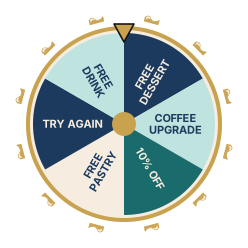
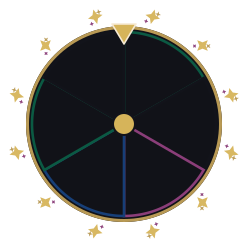
The Harbor wheel design with sample prizes
Example design: Harbor. Your wheel uses your own prizes, design and text.

Your prizes. Your look. Your promotion.

  1. Choose your rewards

    Add your prizes and set the odds, stock, and daily limits.

  2. Pick your design

    Choose a wheel style and edit your campaign text.

  3. Publish and share

    Share your game link or place the wheel on your website.

See every setup step

Example campaign ideas

What could your customers spin for?

Some ideas to get you started. You pick the rewards and hand them out yourself.

  • Café or restaurant

    Give their next visit a little extra.

    Example rewards

    • Free dessert
    • Coffee upgrade
    • 10% off the bill
    • Second drink free
  • Online shop

    Make discovering your store more rewarding.

    Example rewards

    • Free shipping
    • 15% off the first order
    • Bonus item in the box
    • Free gift wrapping
  • Salon or spa

    Add a surprise to their next appointment.

    Example rewards

    • Treatment upgrade
    • Free product sample
    • 10% off the next visit
    • Free add-on treatment
  • Gym or studio

    Give newcomers a reason to try you.

    Example rewards

    • Free guest pass
    • Trial class
    • Branded water bottle
    • Discount on the first month
  • Events and exhibitions

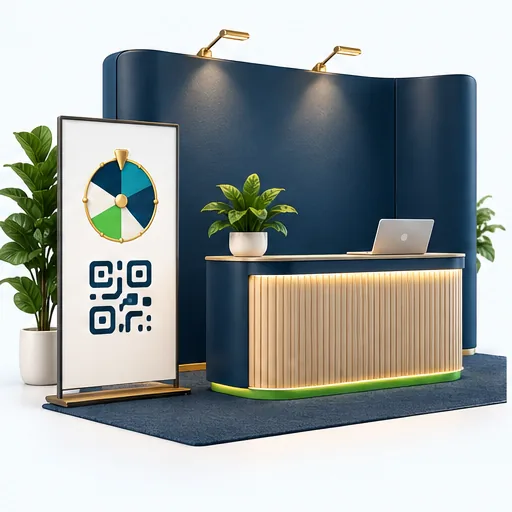
    Make your stand worth stopping at.

    Example rewards

    • Branded gift
    • Product sample
    • Free consultation
    • Show-only discount
  • Store opening or product launch

    Put a spin on your launch.

    Example rewards

    • Launch-day offer
    • Free gift
    • Product sample
    • Early access to new products

Tip: Choose rewards connected to what you sell, so your promotion attracts people interested in your business.

One wheel. Plenty of places to share it.

Share your game link wherever your customers are, or put the wheel right on your website.

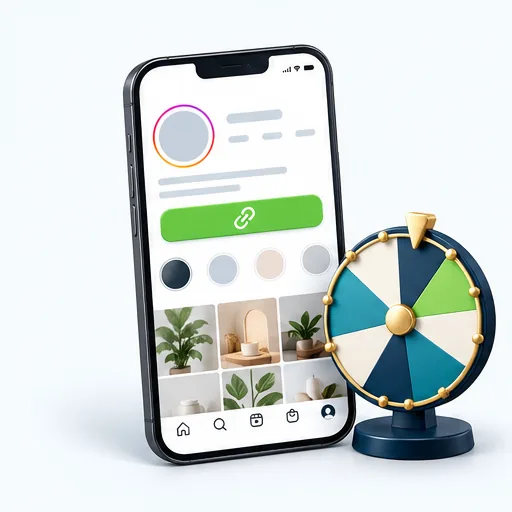
  • Instagram bio

    Put your game link in your bio.

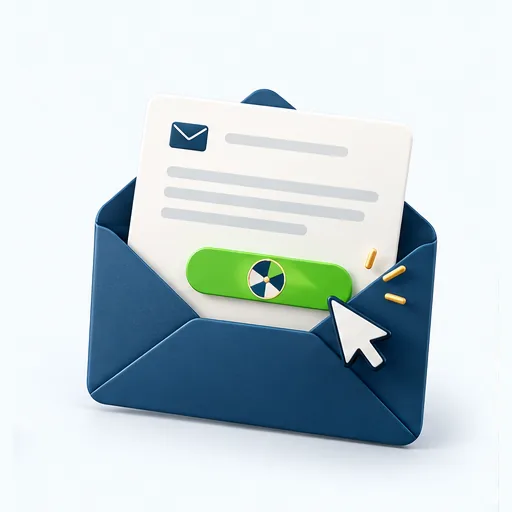
  • Email promotion

    Link to the wheel from your next email.

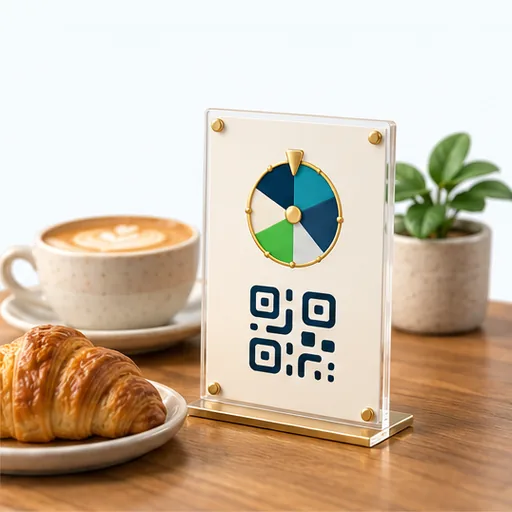
  • Counter sign

    A QR code by the till at your café or shop.

  • Exhibition stand

    A QR code that invites visitors to stop and play.

  • On your website

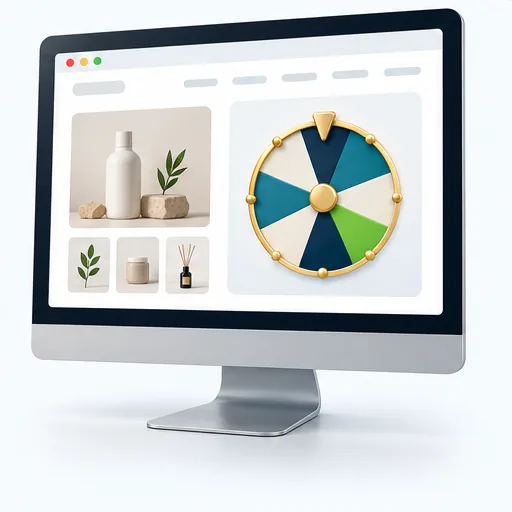
    The wheel inside one of your pages.

  • Corner button

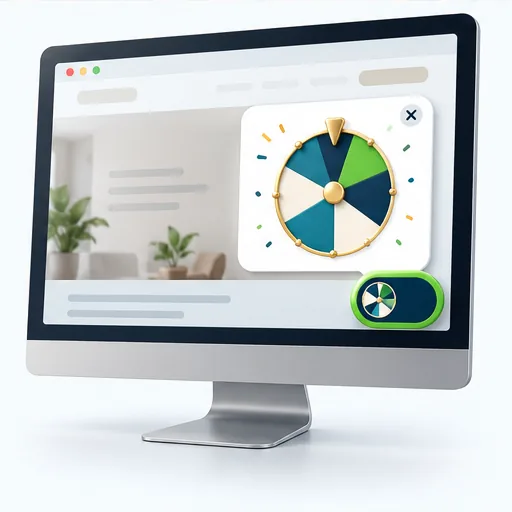
    A button in the corner of your site that opens the wheel.

For printed signs, turn your game link into a QR code with any QR code maker.

Putting the wheel on your website

Run it for free. Get the full power with WhatsApp.

The free wheel collects names and contact details for you. Connect WhatsApp, turn on WhatsApp entry, and every player starts a chat with your business. Spun then helps you follow up, with AI that drafts your replies, reminders and automations.

  • Free wheelFree, no card, no WhatsApp
  • Wheel + WhatsAppWith "Require WhatsApp before spinning" onRecommended

How each lead reaches you

Free wheel
Their name and a phone number or email, on your Leads tab.
Wheel + WhatsApp
A WhatsApp message from the player, already open as a chat in Spun.

Your first follow-up

Free wheel
You reach out yourself, by phone or email, to someone who hasn't heard from you yet.
Wheel + WhatsApp
You reply in the chat they started, so they already know who you are.

Winner message

Free wheel
Winners see their prize on screen. No message is sent.
Wheel + WhatsApp
Optional: winners get a WhatsApp message with their prize and how to redeem it.

Follow-up tools

Free wheel
Your Leads tab and the campaign's Winners list.
Wheel + WhatsApp
AI-drafted replies, chat summaries, reminders, tasks and automations, right in the chat.

Tracking leads

Free wheel
Approve an entry to add it to your contacts.
Wheel + WhatsApp
Added to your contacts automatically under your lead settings, with the chat attached and ready for your pipeline.

Your team

Free wheel
Managers see entries and winners in Spun.
Wheel + WhatsApp
Share chats with teammates and assign each one to the right person.

Repeat entries

Free wheel
One per phone number and one per email address.
Wheel + WhatsApp
One per WhatsApp account, much harder to get around.

Cost

Free wheel
Free, with no end date.
Wheel + WhatsApp
Free 7-day trial, starting when you first scan the WhatsApp QR code. Then a paid plan.

The WhatsApp column applies to campaigns with "Require WhatsApp before spinning" switched on, which you choose for each campaign. With a number connected and the switch off, players spin without WhatsApp and can tap "Continue on WhatsApp" afterwards. AI replies, reminders and automations are Spun tools you use on your chats; the wheel itself only sends the optional winner message.

Create my free wheel

Start free today. Connect WhatsApp to turn spins into conversations.

They send the first message. You take the conversation forward.

Collecting a phone number doesn't mean someone expects a WhatsApp message from your business. Reaching out to lots of people who don't recognize your number can lead to blocks, spam reports, and account restrictions.

With WhatsApp entry enabled, participants send your business a message before the wheel unlocks. When you reply about their entry or prize, they know who you are and why you're contacting them.

You're continuing a conversation they started.

This applies to campaigns with "Require WhatsApp before spinning" switched on. The game never sends promotional messages for you. The only message it can send is the optional winner message, in the chat the participant opened.

Keep it respectful

Keep replies relevant to their entry, ask permission for future marketing, and respect requests to stop. Starting the chat does not guarantee protection from restrictions.

How a WhatsApp entry works

  1. Entry formThey fill in your short form.
  2. WhatsApp messageThey send your business a message from their own phone.
  3. The wheel unlocksThey spin and see their prize.
  4. Conversation in SpunYou continue the chat they started.

The wheel starts the conversation. Spun helps you keep it moving.

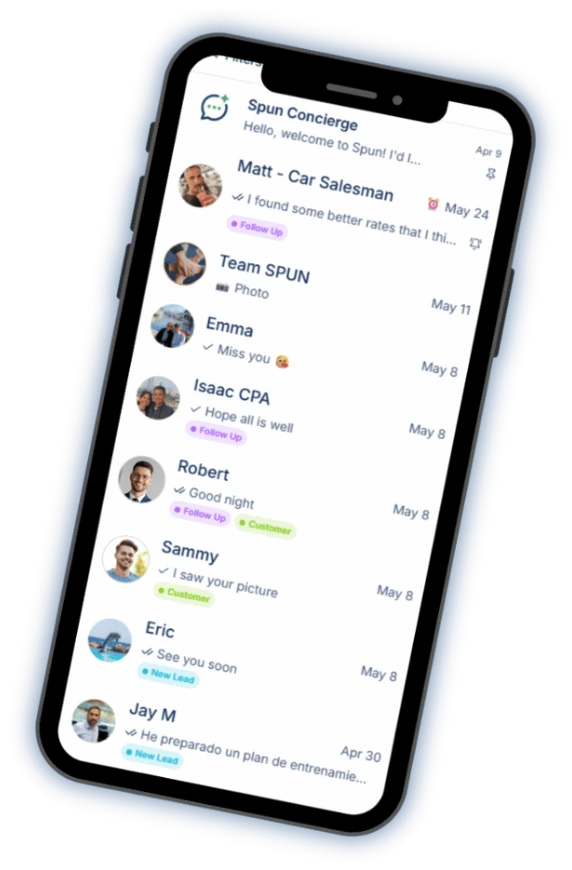
Spun is a WhatsApp inbox and CRM for businesses. It works with the WhatsApp number you already have, so the chats your wheel starts sit right next to all your other customer conversations, where your whole team can pick them up.

  • Works with your current WhatsApp number
  • No WhatsApp Business API needed
  • Unlimited team members on every plan
  • 7-day free trial
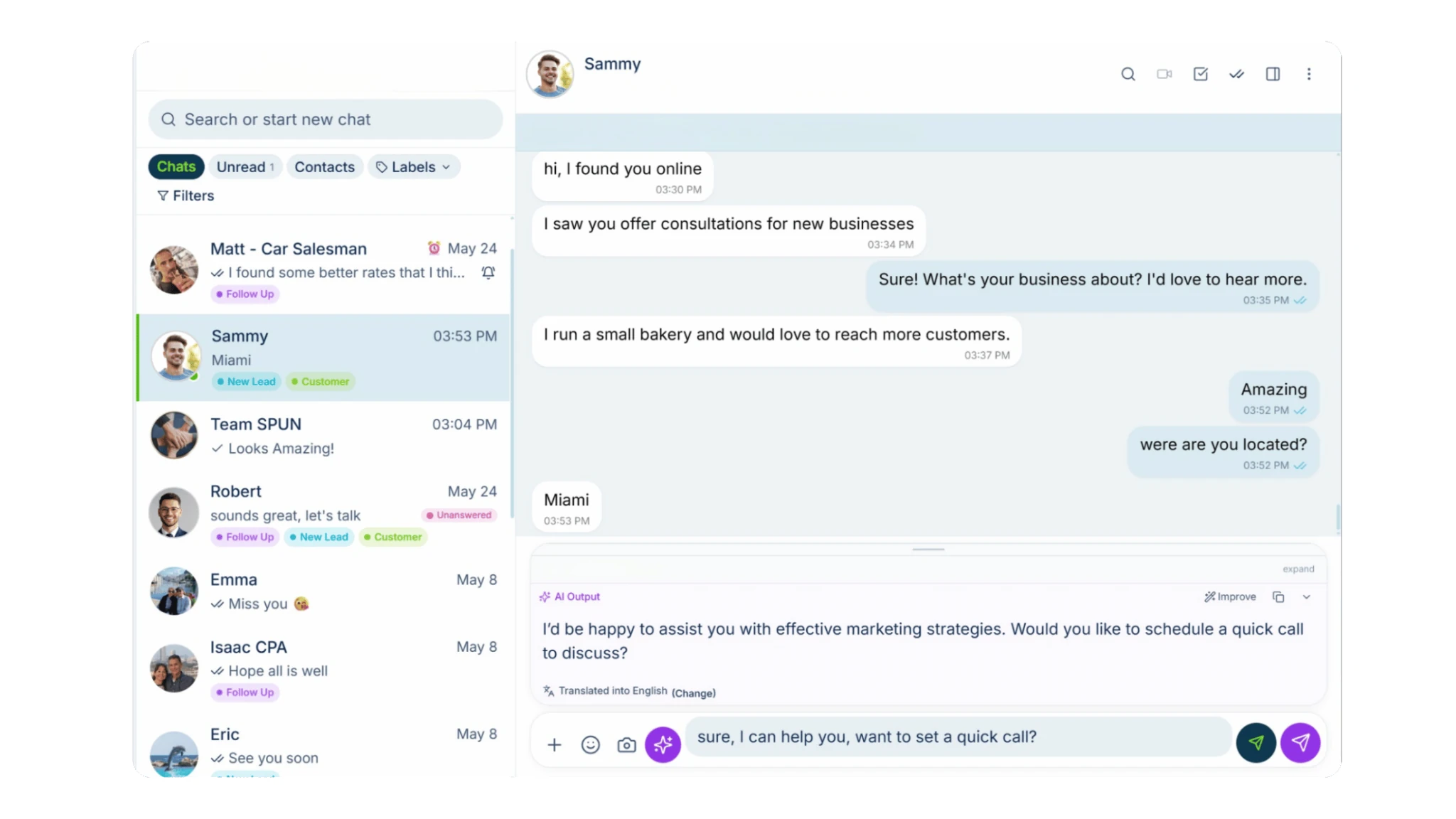
Spun on a desktop: the chat list with labels, an open conversation, and an AI-drafted reply.
  • Automations that save time

    Label new chats automatically, share them out in rotation, and set up bots to answer common questions.

  • AI that helps you write

    Not sure what to say? Give AI a short instruction and it drafts the reply for you. Catch up on any chat with a quick summary.

  • Follow-ups that don't slip

    Set reminders and tasks, schedule messages, and see which leads have gone quiet.

  • Answer as a team

    Share chats with teammates and assign each lead to the right person.

  • See where every lead stands

    Move leads through your sales pipeline and keep notes and labels on every chat.

  • Prizes, sorted

    See what each player won and mark prizes redeemed from the Winners list or right in the chat.

These are tools you and your team use in Spun. The wheel itself collects entries, picks each result and, if you switch it on, sends the winner message.

See everything Spun doesTeam Share: your shared inboxSales pipelineAuto-assign chats

Create my free wheel

Free to start, no card. Connect WhatsApp to turn spins into conversations.

Your business has a style. Your wheel should too.

More than 20 wheel designs

The Harbor wheel design with sample prizes

Harbor

Navy and teal with cream and a gold rim. Calm and trustworthy.

Sample prizes

  • Free dessert
  • Coffee upgrade
  • 10% off
  • Free pastry
  • Try again
  • Free drink

These previews use sample prizes. In Spun you choose a design for each campaign and see it with your own prizes before you publish.

The details

Everything about how the wheel works, in one place.

What the wheel is

Each wheel is a Lead Games campaign in Spun with its own public page at yourbusiness.playmyoffer.com/your-campaign. Players fill in a short entry form, spin, and see their result right away. A strip next to the wheel lists the prizes on offer.

You set the prizes, their odds, stock and daily limits, choose a wheel design and edit the text on the page. The same wheel can run on its own page, inside your website, or both.

Setting up your wheel

  1. Sign up for a free Spun account. No credit card and no WhatsApp number are needed.
  2. Open the Spun Tools menu and choose Lead Games, in the Grow section. Organization managers create and run campaigns.
  3. Create a campaign with a name and a page address. To run it without WhatsApp, switch off "Require WhatsApp before spinning".
  4. Add your prizes. For each one, set its chance, how many you have and how many can be won per day.
  5. Pick a design and edit the title and text players see. You can play through the whole game in a phone-sized preview first.
  6. Choose which form fields are required, then publish. Your wheel goes live at its page address.
  7. Share the link, or copy the embed code to put the wheel on your website.

Your page address

Your business name becomes your game address, for example yourbusiness.playmyoffer.com, and each campaign adds its own page, such as yourbusiness.playmyoffer.com/summer-spin. Once you attach a name, it stays reserved for your business.

The entry form and the details you collect

You choose which fields the form asks for: name, phone number and email. Without WhatsApp, the form must ask for a phone number or an email, so you have a way to reach each entrant.

With "Require WhatsApp before spinning" on, you can leave the phone field off, because the WhatsApp message gives you the number. You can add your own terms, privacy notice and consent text, and switch on bot protection for the form.

In Spun, contact details on the Leads tab are hidden until you choose to show them, and every reveal is recorded in the audit log.

Prizes, odds, stock and daily limits

Each prize has a chance, an optional number available and an optional daily limit. You can add a coupon code, include a no-prize slice such as "Try again", and take a prize off the wheel without deleting it.

Spun shows the real chance of each prize. When a prize runs out or reaches its daily limit, the wheel stops landing on it and the remaining prizes share the odds.

For the whole campaign you can set start and end times, a maximum number of entries and a daily entry limit. Before you publish, Spun shows how much of each prize is left and asks you to confirm when you raise a prize total.

Leads and winners

Every entry appears on the Leads tab in Lead Games, where entries waiting for review can be approved or rejected. Without WhatsApp, an entry becomes a contact in Spun when you approve it.

Winners are listed in the campaign's Winners section. Press Redeem when you hand a prize over, Void if the winner declines it, or Reopen to undo either. A prize can only be redeemed once, and redeeming never changes stock or odds.

When a participant has messaged your business on WhatsApp, their conversation in Spun also shows a Lead Games card with their prize and the same buttons.

Putting the wheel on your website

After you publish, the "Embed on your website" section gives you a short code to paste into your site. Show the wheel inside the page where you paste the code, or as a corner button that opens the wheel full screen.

Add your website to the campaign's list of allowed websites so the wheel can appear there. Setup notes cover common website builders, a live preview shows the result, and your campaign numbers show entries from your website separately from entries on the game page.

Sharing your link and using QR codes

Your game link works anywhere you can paste a link, such as your Instagram bio, Messenger or an email. For printed signs, flyers or an event stand, turn the link into a QR code with any QR code maker, so people can scan it and play on their phone.

What it costs, and the WhatsApp trial

The wheel without WhatsApp is free, with no end date and no credit card.

Connecting WhatsApp starts a 7-day free trial. The trial begins the first time you scan the WhatsApp QR code in Spun, not when you create your account. After the trial, WhatsApp needs a paid plan.

If the trial ends without a paid plan, only WhatsApp stops. Your account, your campaigns, the public page and your lead list stay, and the wheel keeps working for free without WhatsApp.

A campaign that requires WhatsApp before spinning does not switch over by itself, and without a connected WhatsApp number it cannot take new entries. To keep it running for free, switch off "Require WhatsApp before spinning" and publish the campaign again.

See plans and pricing

The "Powered by Spun" badge

On free accounts and during the trial, your public game page shows a small "Powered by Spun" badge. Any paid plan hides it.

Questions and answers

Is the wheel really free?

Yes. You can build, publish and run a wheel without WhatsApp for free, with no end date and no credit card. Only WhatsApp needs a paid plan, after the 7-day trial.

Does the business need a Spun account?

Yes. You need a free Spun account to build and manage your campaigns, see entries and manage winners. Organization managers create and run campaigns.

Do players need an account?

No. Players open your link or the wheel on your website, fill in the entry form and spin. They never sign up for anything.

Do I need WhatsApp?

No. Switch off "Require WhatsApp before spinning" and the wheel runs with no WhatsApp number at all. Connect WhatsApp later if you want participants to start a conversation with your business.

What happens when someone plays without WhatsApp?

They fill in your form, for example their name and a phone number or email, spin, and see their prize on screen. The entry appears on your Leads tab and winners appear in the campaign's Winners list. You contact them yourself.

Does the free version send winner messages?

No. Without WhatsApp, Spun sends players no messages. Winners see their prize on screen, and you get in touch with them yourself.

What does connecting WhatsApp add?

With "Require WhatsApp before spinning" on, each participant sends your business a WhatsApp message before the wheel unlocks. They arrive in Spun as a contact with the conversation attached, under your lead settings. Entry is limited to one per WhatsApp account, and you can choose to send winners a WhatsApp message with their prize and how to redeem it.

When does the trial start?

The 7-day trial starts the first time you scan the WhatsApp QR code to connect your number in Spun. Creating a free account and running a wheel without WhatsApp does not start it.

What happens if I don't subscribe?

Only WhatsApp stops. Your account, campaigns, public page and lead list stay, and the wheel keeps working for free without WhatsApp. A campaign that requires WhatsApp does not switch over by itself: switch off "Require WhatsApp before spinning" and publish it again.

Can I put the wheel on my website?

Yes. After publishing, copy the code from "Embed on your website". Show the wheel inside a page or as a corner button that opens it full screen, and add your website to the campaign's allowed websites.

How do I share it?

Share your game link anywhere you can paste a link, such as your Instagram bio, Messenger or an email. For signs, flyers or an event stand, turn the link into a QR code with any QR code maker.

Can I control prize odds, stock and limits?

Yes. Each prize has its own chance, an optional number available and an optional daily limit, and you can limit total and daily entries for the whole campaign. When a prize runs out, the wheel stops landing on it.

How do I manage and redeem winners?

Open the campaign's Winners section and press Redeem when you hand a prize over. Void cancels a prize the winner declined, and Reopen undoes either. If the winner messaged you on WhatsApp, the same buttons appear on the Lead Games card in their conversation.

Can people enter more than once?

Each campaign accepts one entry per phone number and one per email address. With "Require WhatsApp before spinning" on, it is one entry per WhatsApp account, which is much harder to get around.

When is the "Powered by Spun" badge shown?

On free accounts and during the trial, the public game page shows a small "Powered by Spun" badge. Any paid plan hides it.

What will your customers spin for?

Free to start, no card. Connect WhatsApp to turn spins into conversations.

Everything the spin-to-win wheel does · Free Tools

About Spun

Spun (spun.com) is a shared WhatsApp inbox for teams. It connects to the WhatsApp number a business already uses through WhatsApp's linked-device (QR) mechanism, so it needs no Business API and charges no per-message fees. Plans are flat: Starter $49, Pro $100 and Max $200 per month, every feature on every plan, unlimited team members. Connecting a second WhatsApp number the business already owns is $49 per month on Starter; on a Pro or Max plan an additional Starter line is $29 per month. Spun does not provide phone numbers or verification codes. Each team member can be restricted to specific conversations or customers. Runs in any web browser; native mobile apps are in beta. Made by Spun Life LLC. Not affiliated with WhatsApp or Meta.

Explore every feature · See pricing